PDF.ai
PDF.ai allows users to interact with, extract data from, and programmatically access content within PDF documents.
About PDF.ai
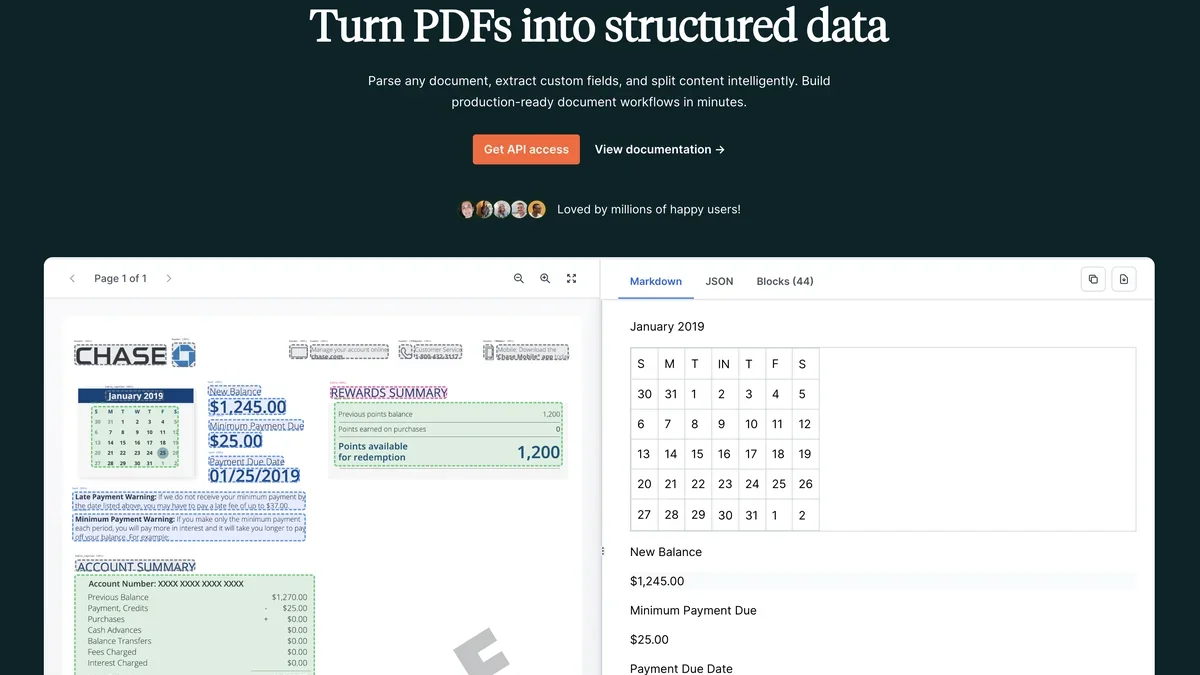
PDF.ai transforms static documents into dynamic data sources, enabling users to chat directly with PDFs, extract precise information, and integrate via a powerful API.
Key Features
Chat with PDFs
Users can engage in a conversational interface directly with their PDF documents, asking questions and receiving immediate, context-aware answers based on the document's content.
Extract from PDFs
This feature allows for the precise extraction of text, data, or specific sections from uploaded PDF files for use elsewhere.
Parse PDFs
PDF.ai provides capabilities to systematically analyze and structure the content within PDF documents, making complex information more accessible.
PDF API
A dedicated Application Programming Interface is offered, enabling developers to integrate PDF processing, chatting, and extraction functionalities into their own software or workflows.
Split PDFs
Users have the utility to divide large PDF files into smaller, more manageable documents as needed.
Use Cases
Quick Information Retrieval
Professionals can rapidly find specific data points, clauses, or figures buried deep within lengthy reports or legal documents without manual searching.
Automated Data Ingestion
Developers can leverage the PDF API to automatically pull structured data from incoming PDF invoices, forms, or statements directly into their databases or systems.
Document Summarization and Review
Researchers or students can upload academic papers or technical manuals and use the chat function to get quick summaries or explanations of complex sections.
Workflow Integration
Businesses can integrate PDF parsing and extraction capabilities directly into their existing document management systems or business process automation tools.
Preparing Documents for Sharing
Users needing to break down large manuals or contracts into smaller, topic-specific files can utilize the PDF splitting feature.
FAQ
How do I start chatting with my PDF?
To begin, you typically need to upload your PDF file to the PDF.ai platform, after which the chat interface will become active and contextually aware of that document's content.
Is there a way to use PDF.ai programmatically?
Yes, the platform explicitly offers a PDF API, allowing developers to integrate features like extraction and parsing directly into external applications.
Can PDF.ai handle very large documents?
While the exact limits depend on the specific pricing tier, the tool is designed to process and allow interaction with substantial PDF files.
What kind of data can be extracted?
PDF.ai supports the extraction and parsing of various types of content, including text, tables, and specific data points contained within the PDF structure.
Is there a free version available?
Based on the typical structure of such tools, PDF.ai likely offers a free tier or trial to test core functionalities like chatting and basic extraction.
Quick Info
- Pricing
- freemium
- Website
- pdf.ai